Receipt Image Generator
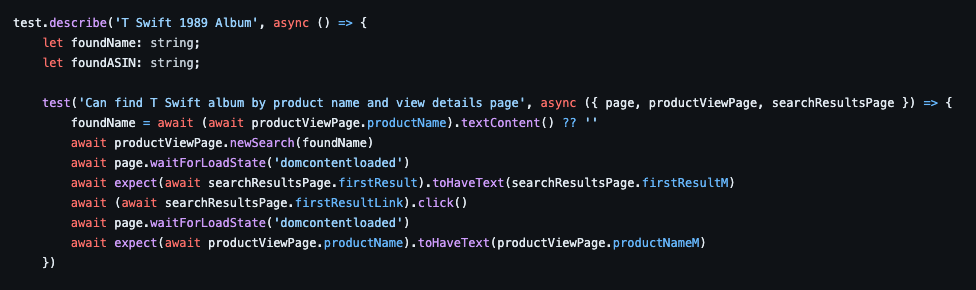
A full-stack web application for generating realistic receipt images for testing OCR systems, expense tracking apps, and receipt scanning functionality. Built with React frontend, Netlify Functions backend, and Supabase (PostgreSQL) database.
Try it out
https://receipt-image-generator.netlify.app/
View the code
https://github.com/steven-the-qa/receipt-image-generator/tree/main
What is this tool?
Receipt Image Generator is a web tool that generates fake receipt images. The primary use case is testing apps that rely on capturing receipt images with a camera.
The Problem It Solves
When testing expense tracking apps, receipt scanning software, or OCR systems, QA teams typically need to:
- Collect physical receipts from various stores
- Take photos of receipts with different lighting conditions
- Manually create test scenarios with specific receipt characteristics
- Spend time and money on receipt collection and photography
This tool eliminates all of that by generating realistic receipt images programmatically in the browser.
Key Features
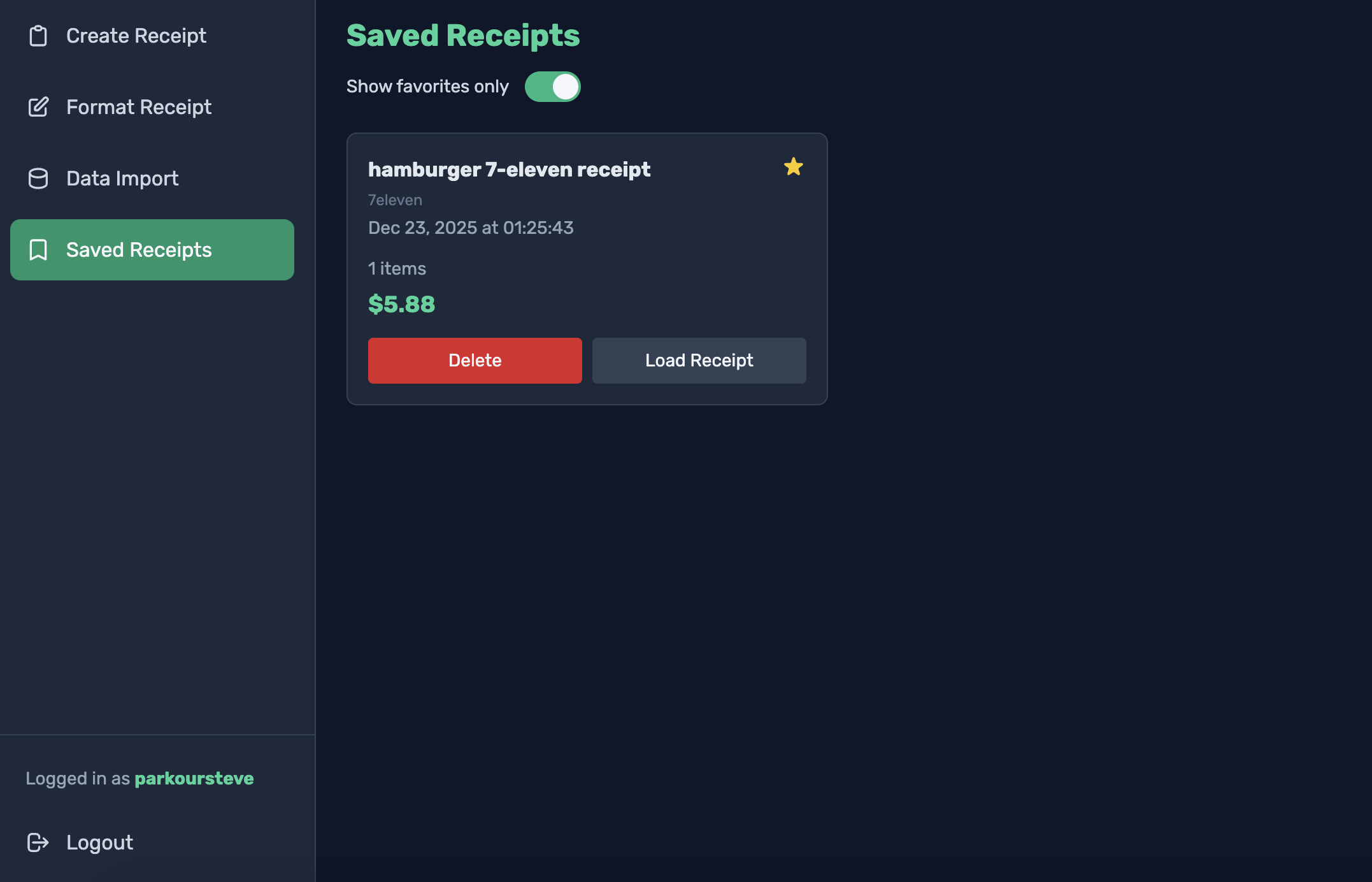
- Custom Receipt Creation: Generate receipts with customizable store names, dates, items, prices, and totals
- Granular Data Management: Configure the receipt to have exacly the purchased items and metadata you want for your test
- Visual Effects: Add realistic imperfections like blurring and missing information (e.g., store name, purchase date) to simulate camera-captured receipts
- Bulk Imports: Speed up testing by importing purchase data as a CSV
- User Accounts: Save and manage receipts with user authentication
- Receipt Management: Save, edit, and favorite your generated receipts for reusable test data
- Mobile-Friendly Interface: Create and preview receipts directly on mobile devices
Inspiration - The Original Use Case
At Fetch Rewards (now called Fetch), I developed a similar tool for the QA team to help us test the Fetch app. Fetch is a shopping rewards app that gives users points for uploading receipts, with bonus points for certain products owned by the CPGs Fetch partners with.
In order to ensure the app handled the receipt data appropriately, we would need to test a variety of store name/store address/total price/purchase date scenarios, including receipts from different verticals, regions, countries, etc. We’d need to check that items worth bonus points received those extra points, and that we didn’t see users getting more or less points than they earned. We’d also need to test how the app handled users who captured blurry images.
This tool became a staple for not only the QA team, but also the Dev and Product teams when they were checking the performance of new and old features that relied on the receipt capture functionality.
Benefits
- Accelerated Development: Quickly generate test images without needing physical receipts
- Consistent Test Data: Create controlled test cases with specific receipt characteristics
- Edge Case Testing: Simulate difficult-to-capture receipts with various imperfections
- Environmentally Friendly: Reduce paper waste by using digital mock receipts
- Time and Cost Savings: Eliminate manual receipt creation and photography
- Improved Testing Coverage: Test with a wider variety of receipt formats than would be practical to collect physically
QA Automation Engineering Excellence
Below is a deep dive into the technical implementation, testing strategies, and engineering practices that make this project a comprehensive showcase of QA automation expertise.
Comprehensive Test Coverage Strategy
Multi-Layer Testing Architecture:
- Unit Tests (Jest + React Testing Library): Component-level testing with accessibility validation
- E2E Tests (Playwright): Cross-browser UI testing across Chrome, Safari, and Firefox
- API Tests (Playwright): Comprehensive backend API validation with custom framework
- AI-Assisted Tests (Stagehand): Cutting-edge AI-powered browser automation for complex user flows
Custom Testing Framework Development
Playwright API Testing Framework:
Built a sophisticated, chainable API testing framework from scratch using Playwright’s APIRequestContext.
RequestHandler Class: Fluent API builder with automatic status code validation, cookie management, and request/response logging
TestDataManager: Automatic test data lifecycle management with DB-based setup and cleanup
APILogger: Rich request/response logging with context-aware error messages
Custom Fixtures: Extended Playwright fixtures (api, testData) for seamless test authoring
Key Framework Features:
// Chainable, type-safe API calls with automatic validation
const receipts = await api.path('/receipts').params({ favorite: 'true' }).getRequest(200);

// Automatic test data management
const user = await testData.createUser(userData);
const receipt = await testData.createReceipt(user.id, receiptData);
// Cleanup happens automatically after test
Test Infrastructure & CI/CD
Playwright Configuration:
- Multi-project setup (chrome, safari, firefox, api) with conditional server startup
- Trace-on-failure for debugging
- Parallel execution with retry logic
- Environment-aware configuration (CI vs local)
Test Execution:
- Separate test suites:
test:unit,test:e2e,test:api,test:chrome,test:safari,test:firefox - Coverage reporting with Jest (lcov format)
- Test result aggregation and reporting
Advanced Test Patterns
Test Data Management Strategy:
- DB-based setup: Fast, reliable test data creation via direct database queries
- API-based authentication: Session management through API calls
- Automatic cleanup: Zero manual cleanup code required
- Separation of concerns: Clear distinction between setup, authentication, and testing
Test Organization:
- Comprehensive API test coverage (authentication, CRUD, filtering, access control)
- E2E tests following real user workflows
- Helper functions for common test patterns (login, user creation, receipt creation)
- Type-safe test utilities with TypeScript
AI-Powered Testing Innovation
Stagehand Integration:
Implemented AI-assisted browser automation using @browserbasehq/stagehand.
Natural language test authoring: await stagehand.page.act("Click the Select Store dropdown list")
Supports both local and cloud execution (Browserbase).
Demonstrates cutting-edge approach to test automation.
Example:
await sh.act('Click the Select Store dropdown list');
await sh.act("Search the list for 'Walgreens' and click it");
await sh.act("Set item description to 'Toothpaste'");
Custom Slack Test Reporter
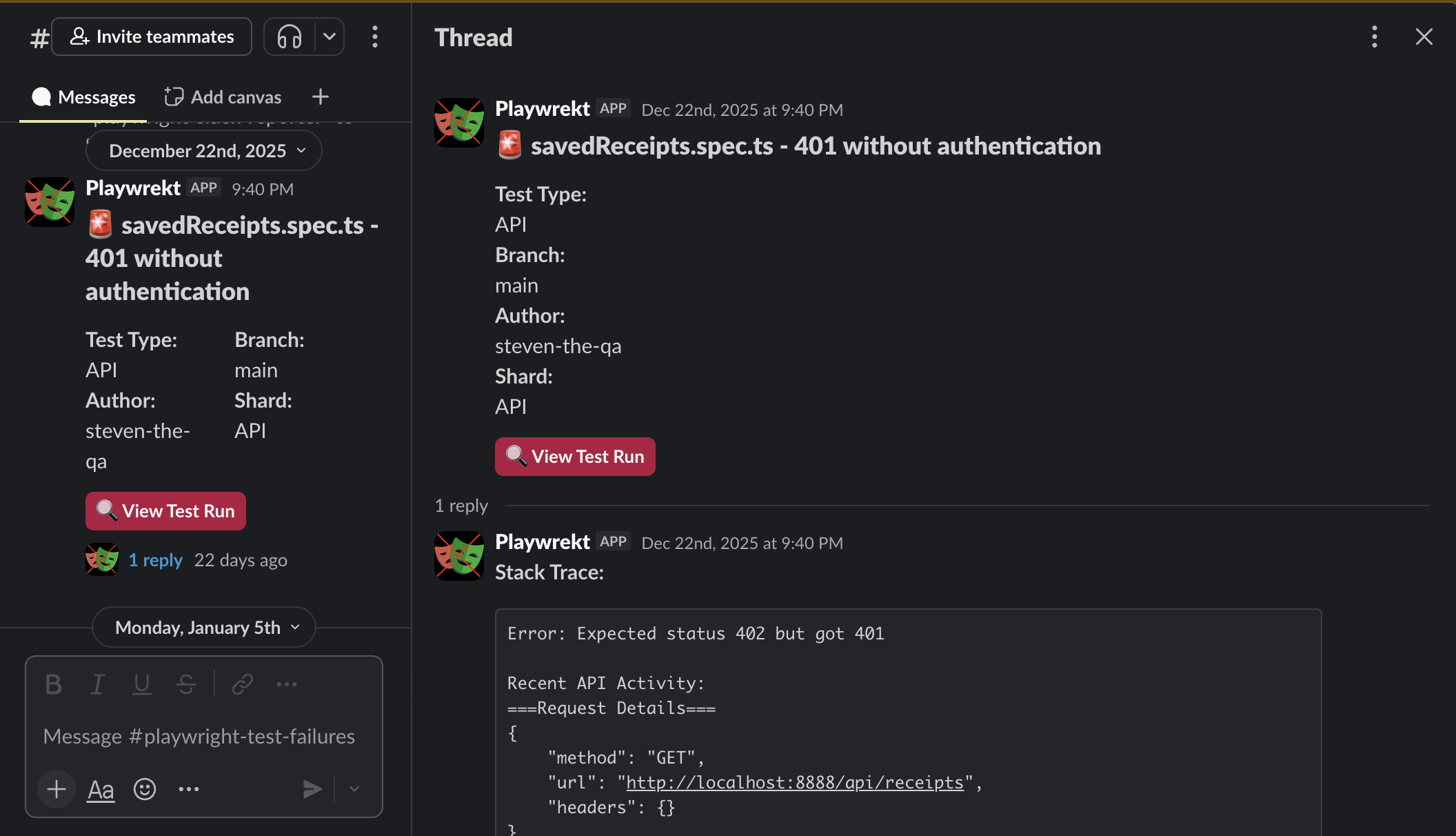
Enterprise-Grade Reporting: Built custom Playwright reporter with Redis-backed state management.
Failure Aggregation: Intelligent grouping of failures across test shards
Individual Failure Notifications: Real-time Slack alerts for test failures
Summary Reports: Aggregated summaries when failure threshold exceeded
Retry Logic: Exponential backoff for Slack API calls
Thread Management: Organized Slack threads with GitHub integration
User Mentions: Automatic @mentions based on GitHub username mapping
Features:
- Redis-based state management for multi-shard test runs
- Configurable failure thresholds (default: 3 failures before aggregation mode)
- Size-aware message truncation for Slack API limits
- GitHub Actions integration with job URLs and branch info
Testing Best Practices Implementation
Code Quality:
- Comprehensive test documentation (API_TEST_GUIDE.md, UNIT_TEST_GUIDE.md)
- Cursor rules for AI-assisted test generation
- Consistent test naming conventions
- Type-safe test utilities
- Accessibility testing in unit tests
Test Patterns:
- Validation matrix testing (combining multiple validation cases)
- Access control testing (401/404 for unauthorized access)
- Filtering tests (create all variants, assert all results)
- CRUD operation coverage
- User isolation testing
Frontend Development Skills
React Architecture
Component Structure:
- Functional components with hooks
- State management with React hooks
- Context-free architecture (props-based data flow)
- Responsive design with mobile-first approach
Key Features:
- Real-time receipt preview
- CSV import functionality
- Form validation and error handling
- Authentication flow (login/signup)
- Receipt management (save, edit, favorite, delete)
- Custom store configuration
- Multiple receipt format options (European format, blur effects, typeface selection)
UI/UX Excellence
Design System:
- Tailwind CSS for styling
- Dark theme (slate-900 background)
- Consistent color scheme (emerald accents)
- Mobile-responsive navigation
- Accessible components with proper ARIA labels
User Experience:
- Live preview of receipt generation
- Mobile-optimized layout with collapsible sidebar
- Notification system for user feedback
- Loading states and disabled button states
- Smooth transitions and animations
Technical Implementation
State Management:
- Complex form state with multiple interdependent fields
- Receipt item management with dynamic calculations
- User authentication state
- Notification state management
Performance:
- Memoized callbacks for expensive operations
- Efficient re-rendering strategies
- Optimized receipt length calculations
Backend & Infrastructure
API Development
Netlify Functions:
- TypeScript-based serverless functions
- Session-based authentication
- RESTful API design
- Error handling middleware
- Request validation with Zod
Database:
- Supabase (PostgreSQL) integration
- Row Level Security (RLS) policies
- Database migrations
- Service role key handling for test cleanup
DevOps & Infrastructure
Deployment:
- Netlify hosting configuration
- Environment variable management
- Build optimization
- 404 handling for SPA routing
Development Tools:
- Babel configuration for Jest
- PostCSS and Tailwind configuration
- TypeScript configuration
- Path aliases for clean imports
Key Technical Achievements
- Custom Testing Framework: Built a production-ready API testing framework that reduces boilerplate and improves test reliability
- AI Integration: Added AI-assisted testing with Stagehand for natural language test authoring
- Enterprise Reporting: Created sophisticated Slack reporter with Redis state management for distributed test runs
- Test Data Strategy: Implemented optimal test data management pattern (DB setup, API auth, automatic cleanup)
- Cross-Browser Testing: Comprehensive E2E coverage across Chrome, Safari, and Firefox
- Type Safety: Full TypeScript coverage in tests with imported types from application code
- Documentation: Comprehensive test guides optimized for AI-assisted test generation
- CI/CD Integration: Test infrastructure ready for GitHub Actions with sharding and parallel execution
Technologies & Tools
Testing:
- Playwright (E2E & API testing)
- Jest (Unit testing)
- React Testing Library
- Stagehand (AI-powered automation)
- Custom testing frameworks
Frontend:
- React 16.13+
- React Router v6
- Tailwind CSS
- React Select
- PapaParse (CSV parsing)
- Moment.js
Backend:
- Netlify Functions
- TypeScript
- Supabase (PostgreSQL)
- Zod (validation)
- bcrypt (password hashing)
Infrastructure:
- Redis (test state management)
- Slack API (test reporting)
- GitHub Actions (CI/CD)
- Browserbase (cloud browser automation)
Testing Metrics & Coverage
- Unit Tests: Component-level coverage with accessibility validation
- E2E Tests: Cross-browser UI flows
- API Tests: Comprehensive backend validation (auth, CRUD, filtering, access control)
- Coverage Reporting: Jest coverage with lcov format
- Test Documentation: Comprehensive guides for test patterns and best practices
Portfolio Highlights
This project demonstrates:
✅ Advanced QA Automation: Custom framework development, multi-layer testing strategy
✅ AI Integration: Cutting-edge AI-assisted testing with Stagehand
✅ Enterprise Tools: Custom Slack reporter with Redis state management
✅ Full-Stack Skills: React frontend, Node.js backend, PostgreSQL database
✅ DevOps Expertise: CI/CD configuration, test infrastructure, deployment
✅ Best Practices: Type safety, documentation, code organization, accessibility
✅ Innovation: Natural language test authoring, intelligent test data management
This project showcases production-ready QA automation engineering with a focus on maintainability, reliability, and developer experience.